
How to Clean a Scotsman Ice Machine (and How Often)
Quick, honest question. When did someone last clean your ice machine?
If the answer is "I'm not sure," you're in good company. Ice machines sit in the corner and make ice, so everyone forgets about them. But the ice goes into people's drinks, and the inside of the machine is warm, wet, and dark. That's exactly where slime and scale like to grow.
This guide covers how to clean a Scotsman ice machine, how often to do it, and the mistakes that can damage the machine. It's written for owners and managers, with plain steps you can follow.
Start With Your Manual
One rule comes before every step below: cleaning steps vary by Scotsman model. Cube makers, nugget machines, flakers, and dispensers each have their own procedure. The cleaning label inside your machine and your user manual are the final word on amounts, cycles, and parts to remove.
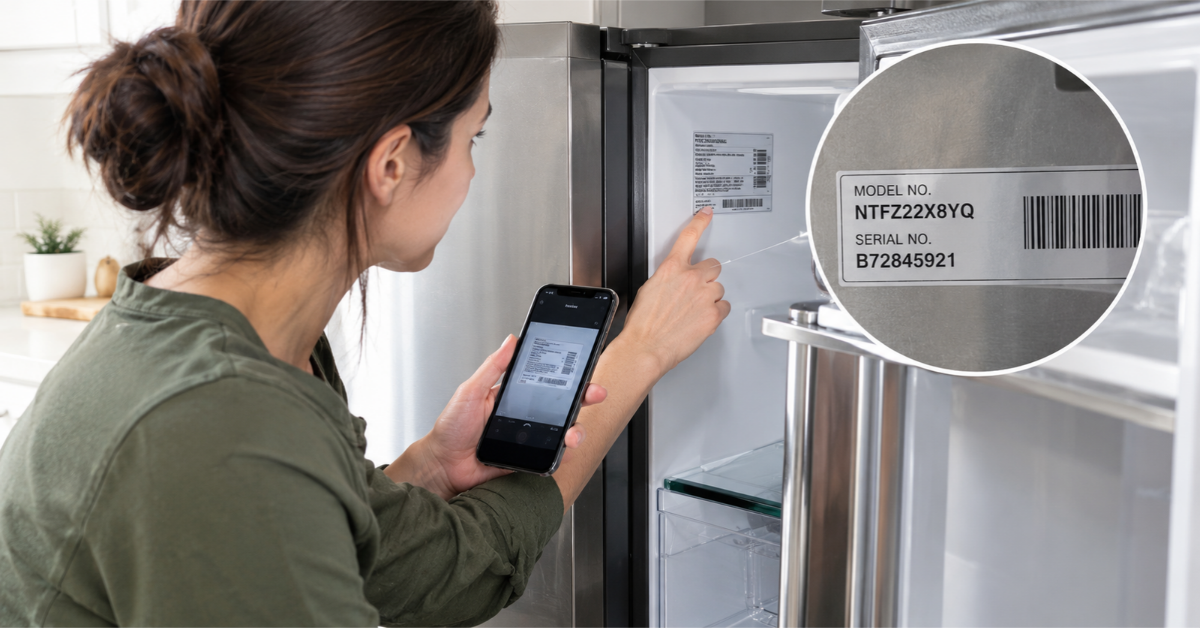
Not sure which model you have? See how to find your model and serial number, then look up the manual on Scotsman's website. Use this article as a general guide, not a replacement for it.
How Often Should You Clean a Scotsman Ice Machine?
Here's a simple calendar. Scotsman's own guidance suggests descaling and sanitizing about every six months, and more often when conditions are hard on the machine.
Weekly: the ice bin. Empty it, wash it with mild soap and water, rinse well, and sanitize. The bin touches the ice directly, so it needs regular attention.
Monthly: the outside and the air side. Wipe down the exterior. On air-cooled machines, check and clean the air filter and condenser area, since blocked airflow makes the machine work harder.
Every six months: descale and sanitize. This is the full cleaning of the water system and ice-making parts. Many operators mark it on a calendar twice a year.
On schedule: the water filter. If your machine has one, replace it as the manufacturer advises.
More often if:
- Your water is hard, with lots of minerals
- The machine runs heavily, like in a busy bar or hotel
- It sits in a hot, greasy, or dusty area, like near a fryer
- You see slime, cloudy ice, or odd tastes before the six months are up
Signs Your Ice Machine Is Overdue
Don't wait for the calendar if you notice any of these.
- Cloudy, soft, or odd-looking ice
- Ice that tastes or smells off
- Pink, orange, or black slime inside the bin or on parts
- A white, chalky crust on surfaces (scale)
- Slow ice production
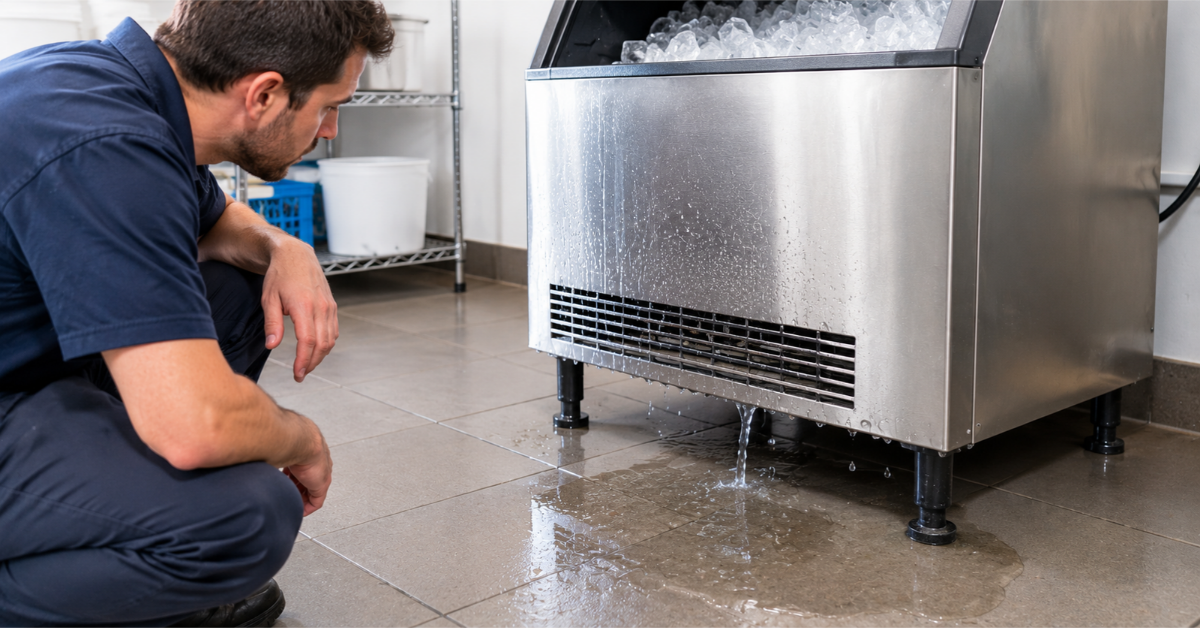
- More leaks or overflow than usual. See our guide on a Scotsman ice machine leaking water
- A "clean" light on models that have one
What You'll Need
- The manual and the label inside the machine
- Scotsman-approved ice machine cleaner (descaler) and sanitizer. Don't substitute household products.
- Rubber gloves and eye protection
- Clean towels or single-use cloths
- A soft brush or sponge (no steel wool)
- A clean bucket
- Potable (drinking) water
- A timer or your phone
Read the label on each chemical and follow the dilution directions exactly. The concentration matters.
Step-by-Step: Cleaning the Ice Machine
These steps follow the general process. Check them against your manual.
Step 1: Remove and Discard the Ice
Turn off the machine or let the current ice drop, as your manual directs. Empty the bin and throw out the ice. Don't use any ice made during the cleaning process.
Step 2: Start the Cleaning Mode
Many models have a Clean setting or button. Wait until any ice in progress is harvested, then start the cycle the way your manual shows.
Step 3: Add the Descaler
Pour in the amount of Scotsman-approved cleaner listed for your model, into the water reservoir or trough. Don't guess the amount. Too little won't remove scale. Too much can harm the machine.
Step 4: Let the Cycle Run
A cleaning cycle often takes around 20 to 30 minutes, though it depends on the model. Don't interrupt it unless the manual says to.
Step 5: Clean the Removable Parts
While the cycle runs, or after it, remove the parts your manual says are safe to take out. These often include the water curtain, the distribution tube, and covers. Wash them in the cleaner solution, brush off scale gently, and rinse them with clean water.
Keep track of where each part goes. Take a quick photo before you remove anything.
Step 6: Rinse
Let the machine rinse as directed. Residual cleaner can affect ice taste and harm parts.
Step 7: Sanitize
This is a separate step from descaling. Descaler removes minerals. Sanitizer kills germs and breaks down slime.
Run the sanitizing procedure with Scotsman-approved sanitizer, and wash and rinse the ice-contact parts as the manual describes. Follow the contact time on the label.
Step 8: Clean and Sanitize the Bin
Wash the bin with mild soap and water, rinse it thoroughly, then sanitize it with an approved solution. Keep petroleum-based cleaners and solvents away from plastic door parts and frames.
Step 9: Reassemble and Restart
Put the parts back and close the machine. Turn it back on to make ice.
Step 10: Discard the First Batches
Throw away the first ice produced after cleaning. This clears out any leftover cleaner or sanitizer. Many manuals say to discard everything made during the process.
Step 11: Write It Down
Note the date, the person who did it, and the products used. A simple log helps you stay on schedule. In commercial kitchens, it can also help during a health inspection.
Mistakes That Can Damage Your Machine
These are common, and some are costly.
- Using bleach. Scotsman has warned that bleach and other unapproved sanitizers can shorten the life of the evaporator, the part that freezes the ice. Use only approved products.
- Using the wrong chemical or the wrong strength. Mixing amounts by eye is a classic error. Measure.
- Using household cleaners or vinegar instead of approved products. They may not clean properly, and they can damage parts.
- Overusing acid cleaners. More isn't better. Too-frequent descaling can wear the evaporator.
- Skipping the sanitize step. Descaling alone doesn't remove slime.
- Mixing chemicals. Never combine cleaning products. Some mixtures release harmful fumes.
- Not rinsing. Leftover chemicals can end up in your ice.
- Using steel wool or hard scrapers. They scratch surfaces, and scratches trap slime.
- Skipping the manual. Procedures differ by model. Damage from improper cleaning may not be covered by the warranty.
Keep Ice Clean Between Cleanings
- Use a clean scoop with a handle. Never use a glass or a cup
- Store the scoop outside the bin in a clean holder
- Wash your hands before handling ice
- Keep the bin door closed
- Don't store food or drinks in the bin
- Wipe up spills near the machine
- Keep the area around it clean and dry
- Replace the water filter on schedule
Can You Do This Yourself?
Many owners can do the weekly bin cleaning, the exterior wipe-down, and the air filter check.
Consider a technician for:
- The full descale and sanitize, if you're unsure about the steps or chemicals
- Heavy scale or slime you can't remove
- Machines that are tied into complex water systems
- Water-cooled units
- Any machine that has leaked, runs slowly, or makes odd ice
A professional cleaning also lets someone check the parts for wear. That can catch problems before they stop the machine.
Getting a Reliable Diagnosis
Cleaning keeps most ice machines healthy. But if the machine is dirty, slow, or leaking, and a good cleaning doesn't help, there may be a part that needs attention.
Authorized Appliance is a referral service. We connect you with an appliance repair contractor in your area. Contractors operate independently. See our commercial refrigeration repair page, find appliance repair near you, or call (833) 220-1666. You can also request a call back or browse our Use & Care Tips. Confirm a contractor's licensing and insurance before work begins.
Frequently Asked Questions
Q: How often should a Scotsman ice machine be cleaned?
A: Scotsman's guidance suggests descaling and sanitizing about every six months, and more often in hard water, heavy use, or dirty environments. Clean the bin more often, such as weekly.
Q: What should I use to clean a Scotsman ice machine?
A: Use only Scotsman-approved ice machine cleaner and sanitizer, as your manual directs. Don't use bleach or household substitutes.
Q: How long does a cleaning cycle take?
A: Often about 20 to 30 minutes, plus extra time for rinsing and sanitizing. It varies by model.
Q: Do I need to throw out the ice after cleaning?
A: Yes. Discard the ice made during cleaning and the first batches after, so no cleaner or sanitizer ends up in drinks.
Q: What's the difference between descaling and sanitizing?
A: Descaling removes mineral buildup. Sanitizing kills germs and breaks down slime. Most machines need both.
Q: Can I clean my ice machine with vinegar?
A: It's not recommended. Use approved products, since other cleaners can harm parts and may affect your warranty.
Q: Why is my ice cloudy or tasting bad?
A: It may be scale, slime, an old filter, or a dirty bin. A full cleaning often helps.
Q: Do I need a professional to clean my ice machine?
A: Many owners handle routine cleaning. A technician can help with heavy buildup, complex models, or machines with problems.
A Final Note
A clean ice machine makes better ice, runs more smoothly, and lasts longer. The routine isn't hard: clean the bin weekly, descale and sanitize every six months, and use only approved products.
Put the dates on your calendar today. It takes less time than dealing with a leak, a breakdown, or a customer who spots slime in their drink.
You might also like
Educational Center